The "IT Help Desk" Calling About Your Passkey Isn't IT
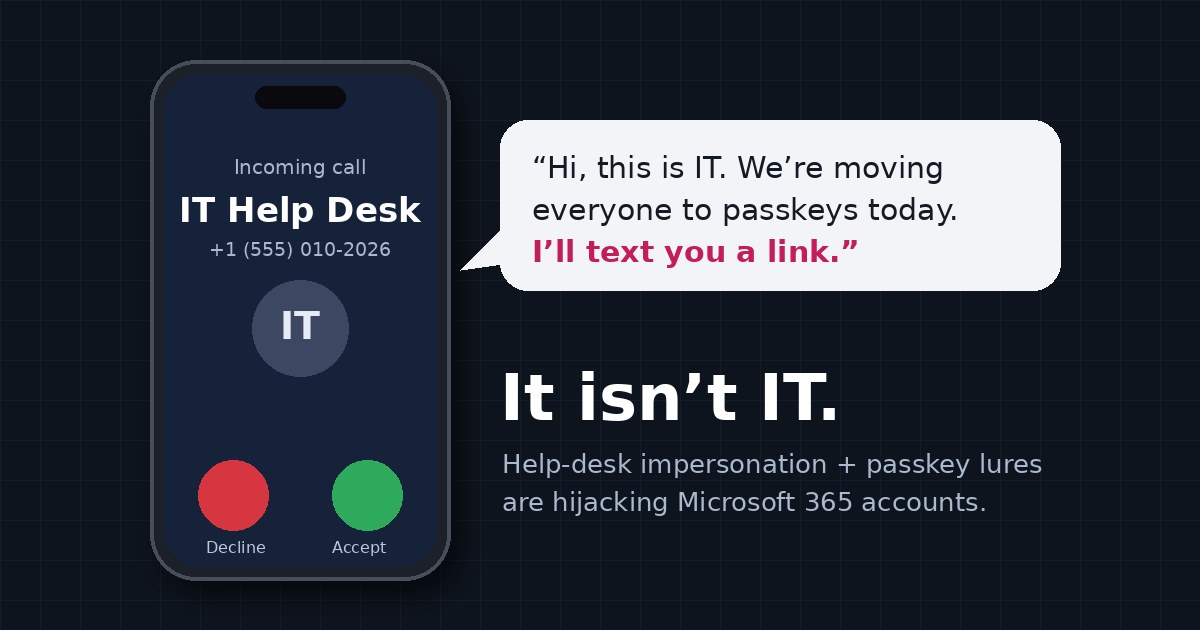
Your personal phone rings. The caller knows your name, your title, and who your manager is. "Hi, this is the IT help desk. We're moving everyone to passkeys this week, and your account is next. I'm texting you a link. It takes two minutes."
It sounds responsible. It sounds like exactly what a good IT team should be doing. And according to Microsoft, it's how a group of cybercriminals has been breaking into company Microsoft 365 accounts since May.
What happened
On September 9 and 10, Microsoft described a campaign it attributes to two groups it tracks as Storm-3121 and Storm-3032, part of the same loose cybercrime ecosystem behind the ShinyHunters, Helix and Falcon extortion brands (The Hacker News has a good summary). The playbook, step by step:
- Research. Attackers pick employees from public sources such as professional networking profiles.
- The call. They phone or message the employee's personal phone, posing as the help desk, and say the employee needs to update their passkey, MFA, or single sign-on settings.
- The link. A text message sends the employee to a convincing fake Microsoft sign-in page on
domains like
passkeyhelpdesk[.]comandsecure-passkey[.]com. Behind it is either an adversary-in-the-middle proxy that relays the real sign-in and steals the session, or a device-code prompt that tricks the employee into approving the attacker's sign-in. - The quiet part. Once inside, the attackers register their own MFA method (a phone number or authenticator app), so they no longer need the victim at all.
- The haul. They map the organization with Microsoft Graph, find high-value accounts, and pull files out of SharePoint, OneDrive and Exchange over hours or days, rotating IP addresses as they go. Some even use the stolen account to send the same lure to coworkers over Teams.
None of this is exotic. That's the point. In the same month, Microsoft and its partners took down three phishing kits that had sent more than one billion phishing emails and texts to over 75,000 organizations since January. Phishing is an industry now, with storefronts, templates, and customer support.
Why "passkey" makes such good bait
Passkeys are the right move. We said so in Passkeys Are Great. They Still Ask. A real passkey can't be phished, because your device refuses to use it on the wrong website.
But that's exactly why the scam works. Every company is talking about passkeys, so a call about "your passkey migration" sounds routine. The attackers never touch a passkey. They use the word to get you onto a page where you sign in the old way, or approve a code, and then they add a method they control. The strongest lock in the building doesn't help if someone talks you into opening a side door.
It's the same move as the deepfake CEO call we wrote about in "I Talked to My CEO on the Phone. It Wasn't Him.": a voice you have no way to verify, asking for something that sounds normal.
Six things to do this week
October is Cybersecurity Awareness Month, so here's a short, practical list. Most of it costs nothing.
- Tell everyone the rule out loud: IT will never call your personal phone to change your passkey, MFA, or sign-in settings. If someone does, hang up and call the help desk back on the number you already know.
- Lock down "add a new MFA method." This is the step that turns a one-time trick into long-term access. In Microsoft Entra ID, use a Conditional Access policy on the Register security information user action so new methods can only be added from the office network or a managed device, and use a Temporary Access Pass for new hires instead of "just add your phone."
- Block device-code sign-in where you don't need it. Most organizations only need it for a handful of conference-room devices. Conditional Access can block the device code flow for everyone else.
- Alert on new MFA methods. A new authenticator added from an unfamiliar IP, followed by Graph directory queries and bulk SharePoint downloads, is this attack's fingerprint. Microsoft's own advice is to look at the sequence, not single events.
- Make the help desk verify callers, too. The same crews also call help desks pretending to be employees who "lost their phone." A reset should require proof the caller is who they say, not just a birthday and an employee ID.
- Turn on phishing-resistant sign-in for admins first. If you can only move one group to passkeys this quarter, make it the people whose accounts can change everyone else's.
Where NearAuth.ai fits
We built NearAuth.ai around a simple idea: a phone call can't move your phone.
With NearAuth.ai, signing in requires your registered phone to be physically next to your registered computer, checked by an encrypted Bluetooth handshake that our server verifies, and re-checked throughout the day. There's no code to read out, no push to approve, and nothing for a caller to "help you update."
- A relayed session doesn't come with your phone. An attacker replaying your sign-in from their own laptop is nowhere near the phone in your pocket.
- An attacker's authenticator app doesn't help either, when NearAuth.ai is the sign-in method for that group and the other methods are switched off.
- "Lost my phone" calls get a real check. Before resetting anything, your help desk can send a question to the employee's NearAuth.ai phone and see whether the real owner answers, confirmed with Face ID or a fingerprint.
To be straight about the limits: if someone talks you into approving a sign-in on your own computer, with your own phone sitting next to it, no second factor can tell that apart from you doing it on purpose. That's why the checklist above still matters, especially blocking device-code sign-in and locking down new MFA methods. Security works in layers, and the human layer is the one attackers are calling.
NearAuth.ai is free for teams of up to 12 people, and most teams protect their first five people in about 15 minutes with Google Workspace or Microsoft 365.
The short version
The scam isn't clever technology. It's a friendly voice, a buzzword, and a link. Teach people that IT doesn't call about passkeys, close the door on attackers adding their own MFA, and make sign-in depend on something a stranger on the phone can't get: you, physically at your desk, with your phone.
chris@nearauth.ai