How Second-Factor Phishing Works
And How Your MFA Might be Failing You
I think most of us know how classic phishing works by now. You get an email asking you to log into a site, but the link takes you to a lookalike URL—like yourcompany.login-fake.com instead of the real deal. If you enter your credentials, the scammer grabs your username and password. Boom, you’re cooked.
But then Multi-Factor Authentication (MFA) entered the chat.
MFA was supposed to fix this. Instead of just a password, you had the extra step of typing in a texted code or tapping "Approve" on a push notification. Sure, it slows you down a bit and makes you quietly curse your IT security team, but it’s a necessary evil. Problem solved, right?
Enter Second-Factor Phishing (also known as Adversary-in-the-Middle phishing).
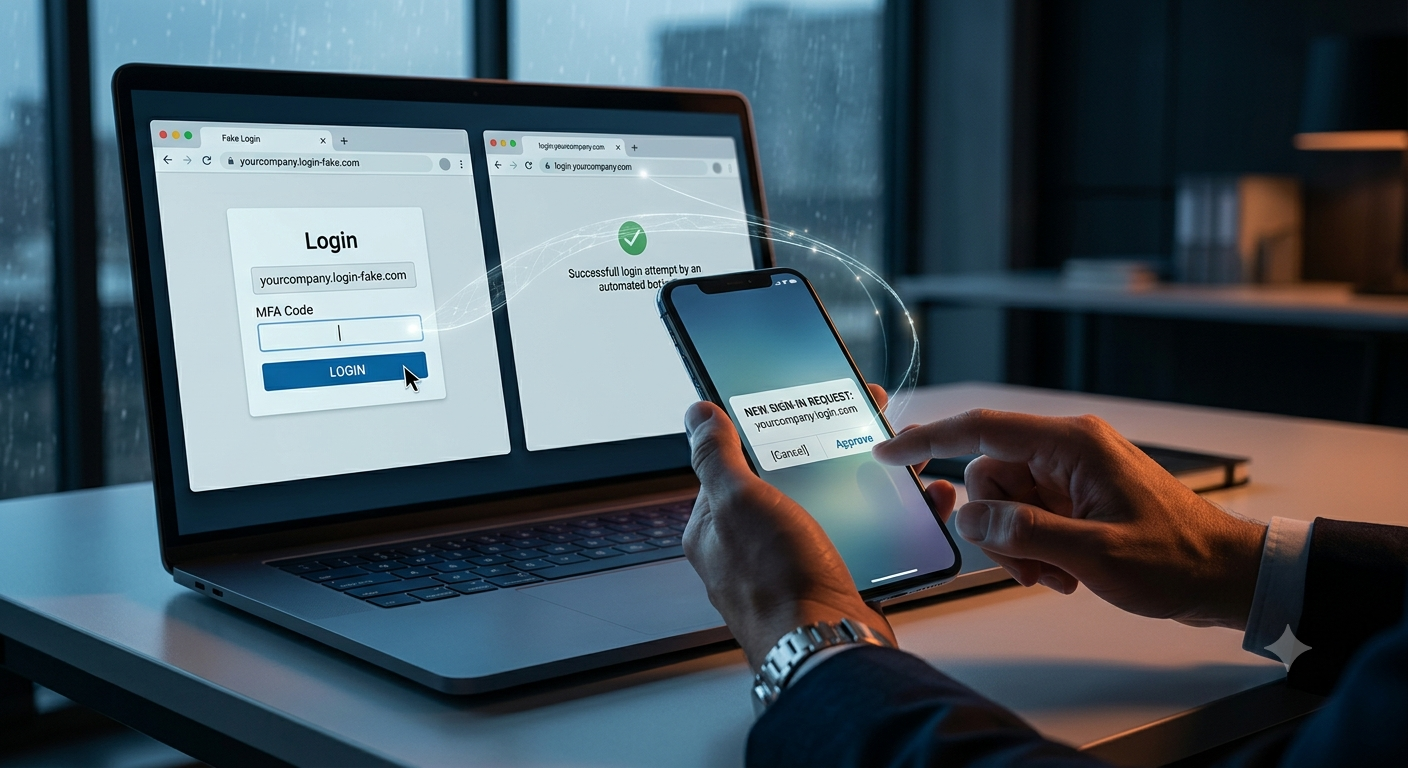
It starts the exact same way. You get a fake email and click a link to a lookalike page. But this time, there's a bot waiting behind the curtain. The moment you type your username and password into the fake site, the bot instantly enters that data into the real website.
Because the bot just attempted a real login, the actual system triggers an MFA push or text code to your phone. And since you think you're just logging in normally, you're expecting that prompt. You type the code into the fake site's popup box, and the bot passes it straight to the real site, and the bot now has access.
Easy peasy. Once again, you're toast.
As a nice finishing touch, the fake site will often redirect you to the actual, legitimate login page afterward. You just assume you made a typo, log in again successfully, and go about your day—completely unaware that someone else is already inside.
Up next: How to use that single successful login to bring an entire company to its knees.
chris@nearauth.ai